Kingsley Special Academy Part of Kingsley Learning Foundation Trust

Keeping Your Child Safe Online
Please watch our Online Safety Video for Families.
This video provides information on our curriculum and how you can support your young person at home. It explains our learning in school, available safety measures, resilience and vigilance, app and platform insights, and NSPCC/CEOP recommendations for supporting our young people to safely navigate the online world. All the links and guides we refer to in school are available on this webpage too.

Kingsley Special Academy takes part in Safer Internet Day every year, using UK Safer Internet Centre programmes of study. Below are some top tips for guardians on how to keep children safe online.
Safer Internet Day 2026 will take place on the 10th of February, with celebrations and learning based around the theme ‘Smart tech, safe choices – Exploring the safe and responsible use of AI’.
Everyone’s talking about AI, and with many children and young people hearing about and using AI online, it’s important they have the skills and confidence to make safe choices when they are using smart technology.
This Safer Internet Day we are exploring the impact of AI on all of our lives, looking at how AI can be used for good, and giving advice and guidance that empowers people to use AI safely and responsibly.
Understand where AI technology is being used and the impact it can have -
From summaries on search engines, to voice assistants and photo editing tools, AI powered features are being added to many of the apps and devices we use day-to-day. Look out for information and warnings notifying you where AI technology is in use or where content has been created using AI. Help your child to recognise these too. Remember, AI can make some tasks simpler but may also collect data about you and your family, or share unreliable information, so consider how to use it safely and responsibly.
Know where to go for help if something goes wrong -
Like any technology, using AI comes with risks. Some AI tools, like ChatGPT, have built-in reporting features where you can raise issues such as inappropriate or harmful content. Many social media platforms also allow you to report content you suspect has been created with AI. Additionally, AI generated content can break the law. If you see illegal images that show child sexual abuse (including AI generated images), you should report these to the IWF and on the platform where they are being shared. If someone creates an image of you or your child using AI these can also be reported on the platform where they are being shared, and AI generated nude images can be reported to Stop NCII (for images of adults) and Report Remove or Take It Down (for images of under 18s).
Online Safety advice from professionals –
Working Together:
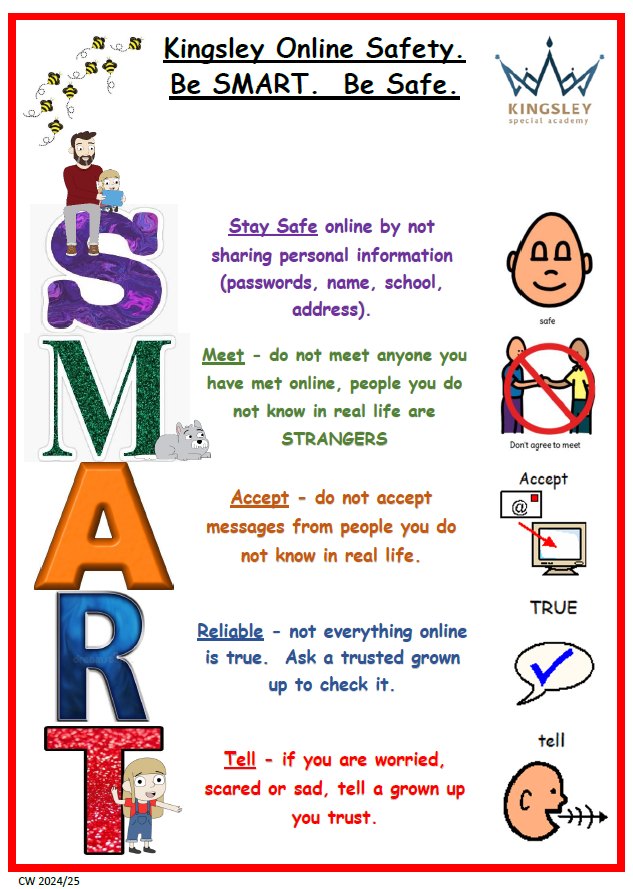
We believe that educating ourselves regarding online safety is as important as educating our pupils. Alongside our online safety work with our pupils, we will also keep guardians updated on trends or concerning activities. If you have any questions, please do not hesitate to contact the online safety lead.
Childnet - Let's Talk About Life Online Key Messages:
- 'You can always come to me if you need help'.
- 'What would you do if this happened?'
- 'Remember that not everyone is who they say they are online'.
- 'Keep your personal information safe, and other people's too'.
- 'Be respectful to others online'.
- 'Think before you post'.
- 'Remember to ask if it's okay'.
- 'Remember not everything is true online'.
- 'The things other people post online might not always show what their life is really like'.
- 'Recognise how going online makes you feel and take a break when you need to'.
-
Smartphone Guidance
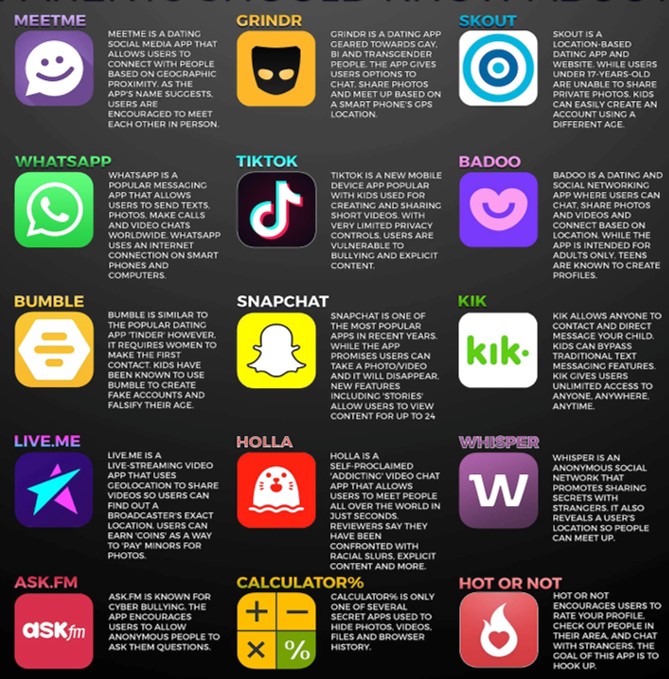
Some great tips including parental filters and controls and APPS and their safety features. This is updated regularly.
Parental Controls and Filters
Parental controls are designed to help protect children from inappropriate content they may come across online. These controls can be used to limit access to only age-appropriate content, to set usage times and to monitor activity.
There are four main places you can find parental controls, and it can help to set up a combination of these:
- Internet provider: you can set up filters to help block access to inappropriate content on any device that connects to your home WiFi.
- Mobile operator: filters are often automatically set up on mobile contracts, but you can double-check with your provider.
- Devices: many devices have parental control settings, for example, to help restrict spending in apps or disable location functions.
- Online services: sites such as BBC iPlayer and YouTube have parental control settings to help restrict access to inappropriate content.
Parental Controls
Visit this website for other devices, internet providers and gaming consoles not mentioned above.
Useful links
https://www.ceopeducation.co.uk/parents/jessie-and-friends-videos/
https://saferinternet.org.uk/guide-and-resource/young-people/resources-for-3-11s
https://www.internetmatters.org/
https://www.nspcc.org.uk/keeping-children-safe/online-safety/parental-controls/
https://www.ceop.police.uk/Safety-Centre/
Smartie the Penguin https://www.youtube.com/watch?v=w7vZF-8bTFI
Digi Duck https://www.youtube.com/watch?v=CKmtn8yz6wA